The 'Modify' window is used for modifying item information. The window appears when adding a new item or modifying the existing one. Adding is available from the main menu , from the context menu of the item list, or by clicking on the button  on the toolbar. The appearance of the window is shown below.
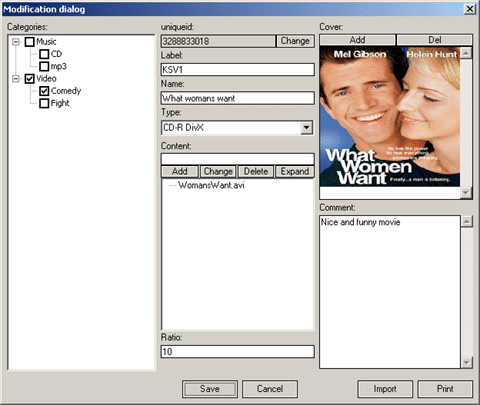
On the left part of the window there is a category tree. It specifies categories to which this or that item relates by setting check boxes near the category name. Note that the tree has a context menu working just as in the main window. It allows categories creating/deleting during data input.
The rest part of the window is occupied by the field display elements of this item. Form, width and location of fields depend on the item class. See data import ('Import' button). Data import is used for some known item types: CDs, MP3 discs, discs with some information.
 Software

 Fast Links
  news and events


